How to play
Score a match in minutes
From toss to trophy in twelve simple steps. Everything happens on one phone, and everyone else can watch live.
Scroll ↓
- 01
Start a match
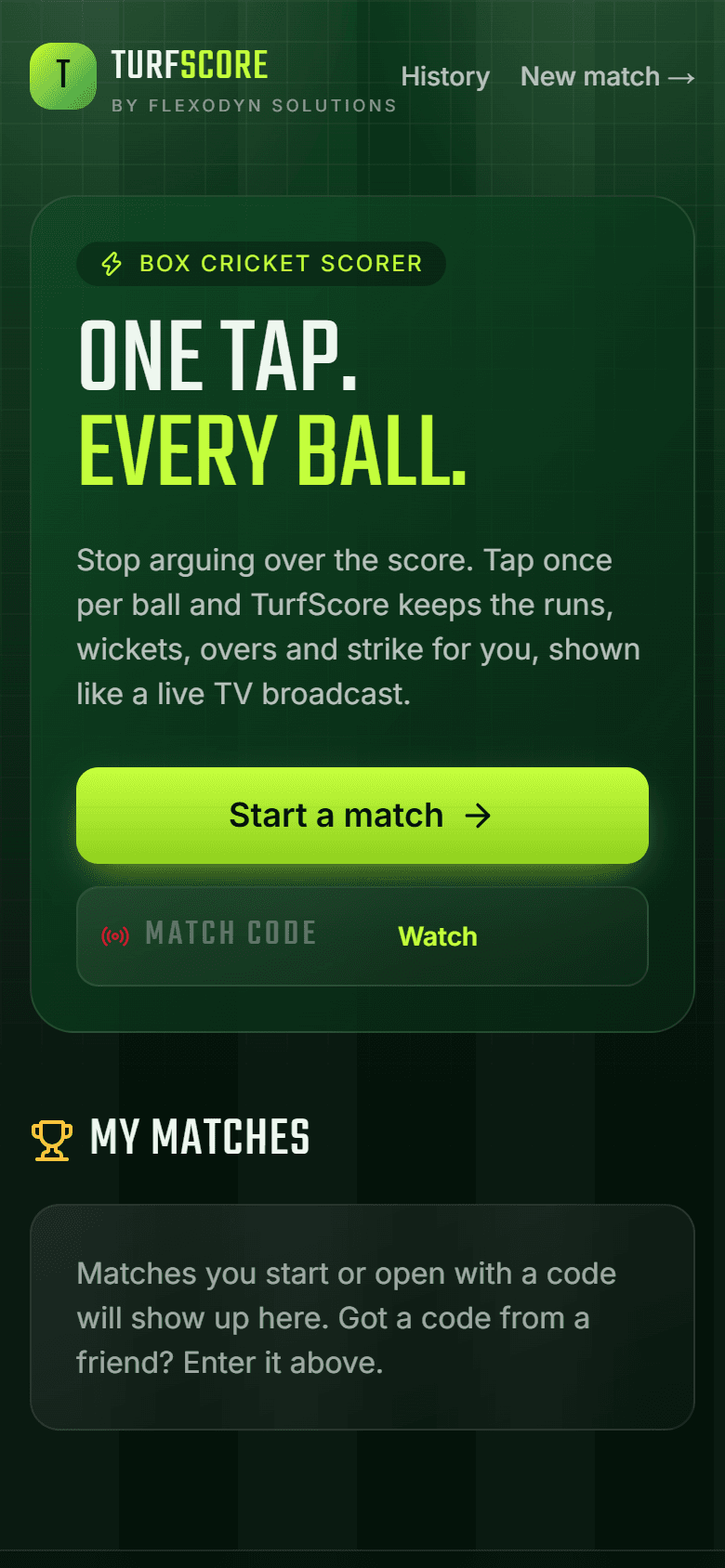
Open TurfScore on any phone. No sign-up and no app install. Tap Start a match to begin, or enter a match code to watch one that's already running.
- 02
Name the teams
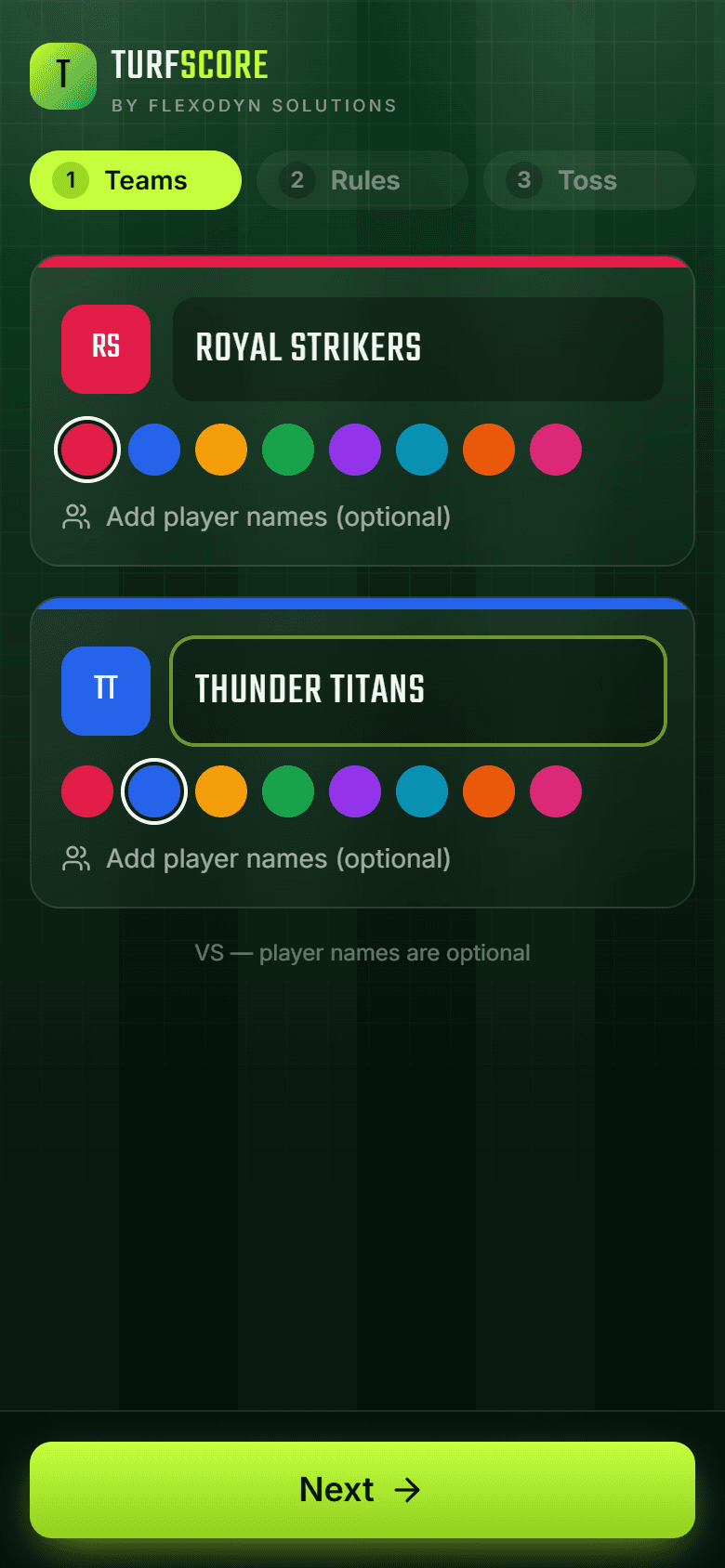
Type both team names and pick a colour for each. Player names are optional. Without them, players show as Player 1, Player 2 and so on.
- 03
Set your box cricket rules
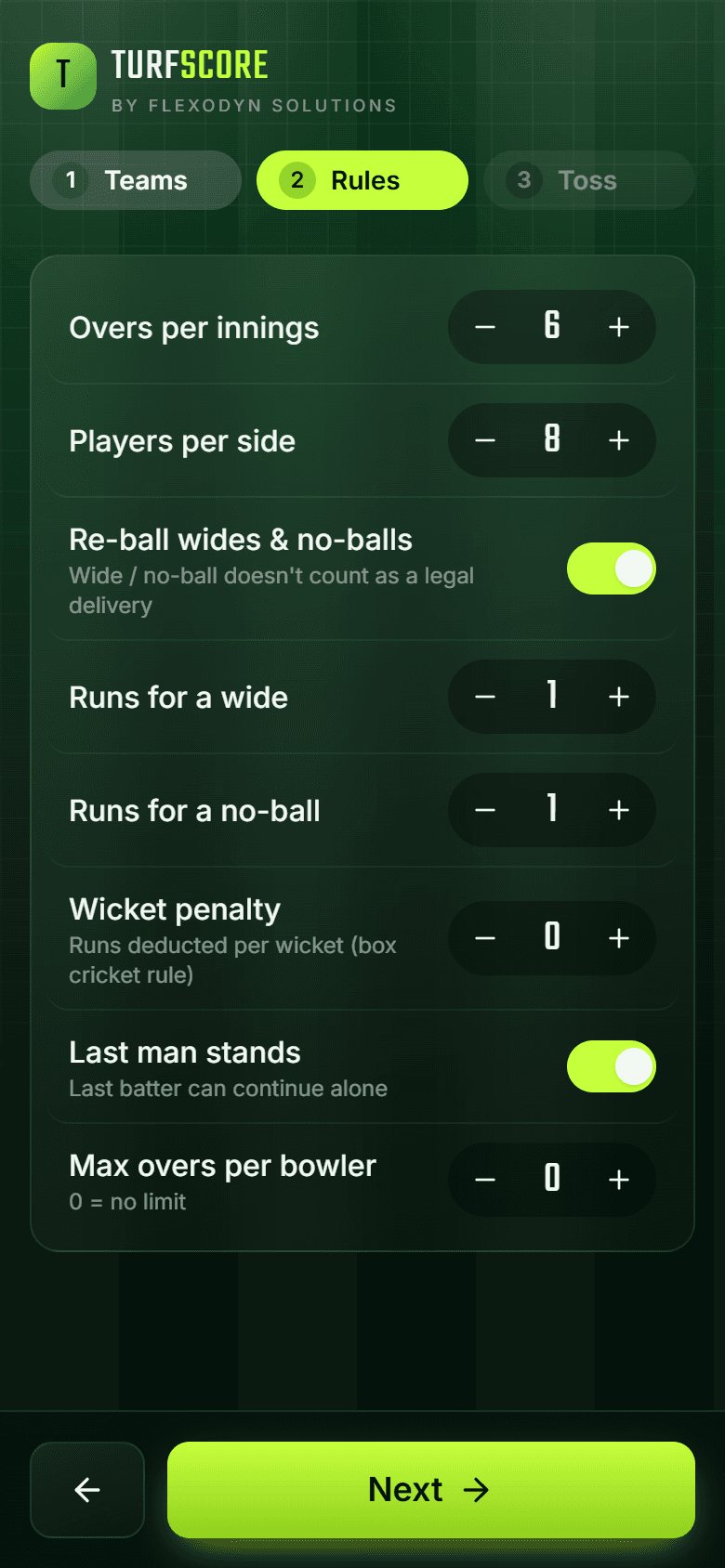
Choose overs, players per side, runs for wides and no-balls, wicket penalties, last man stands and a bowler's over limit. Every turf plays differently, so set it your way.
- 04
Toss and scorer PIN
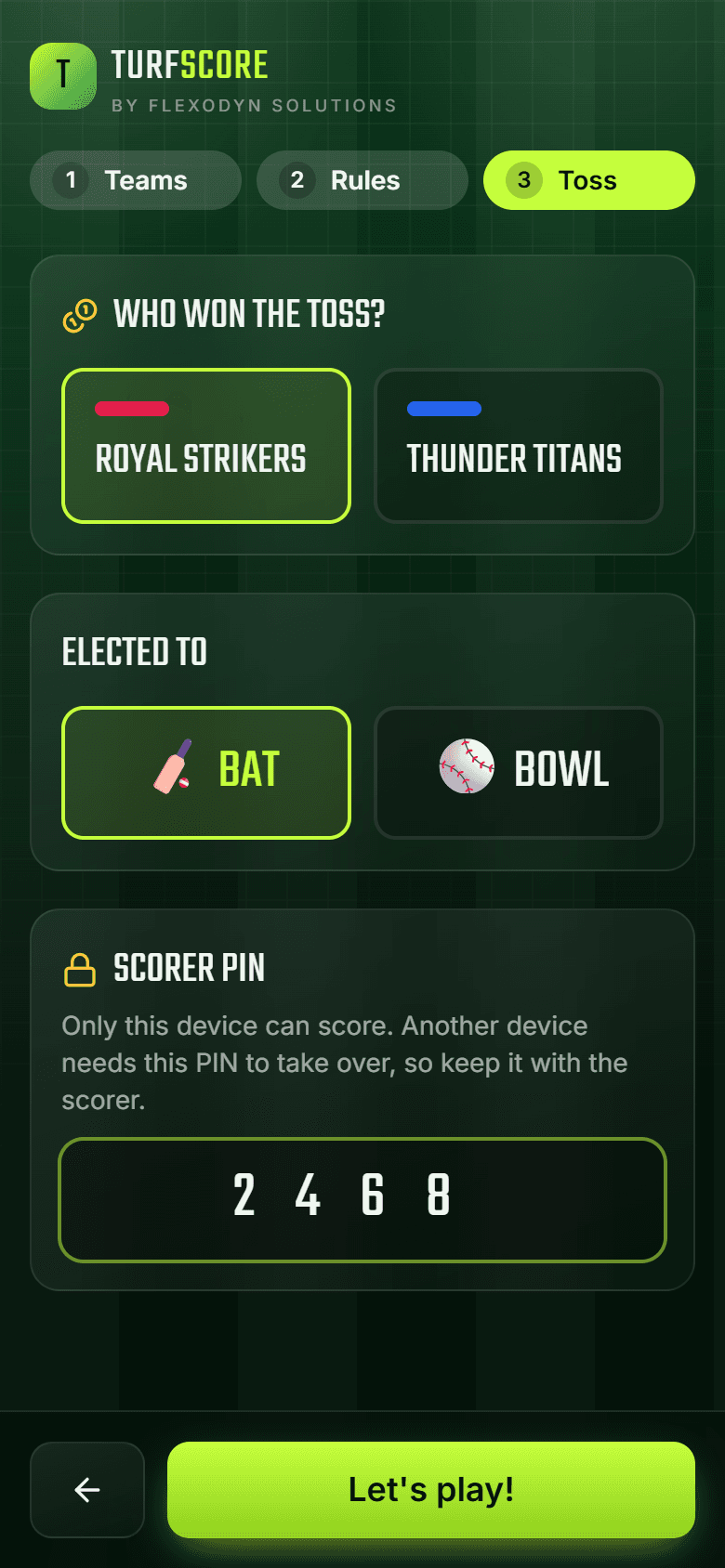
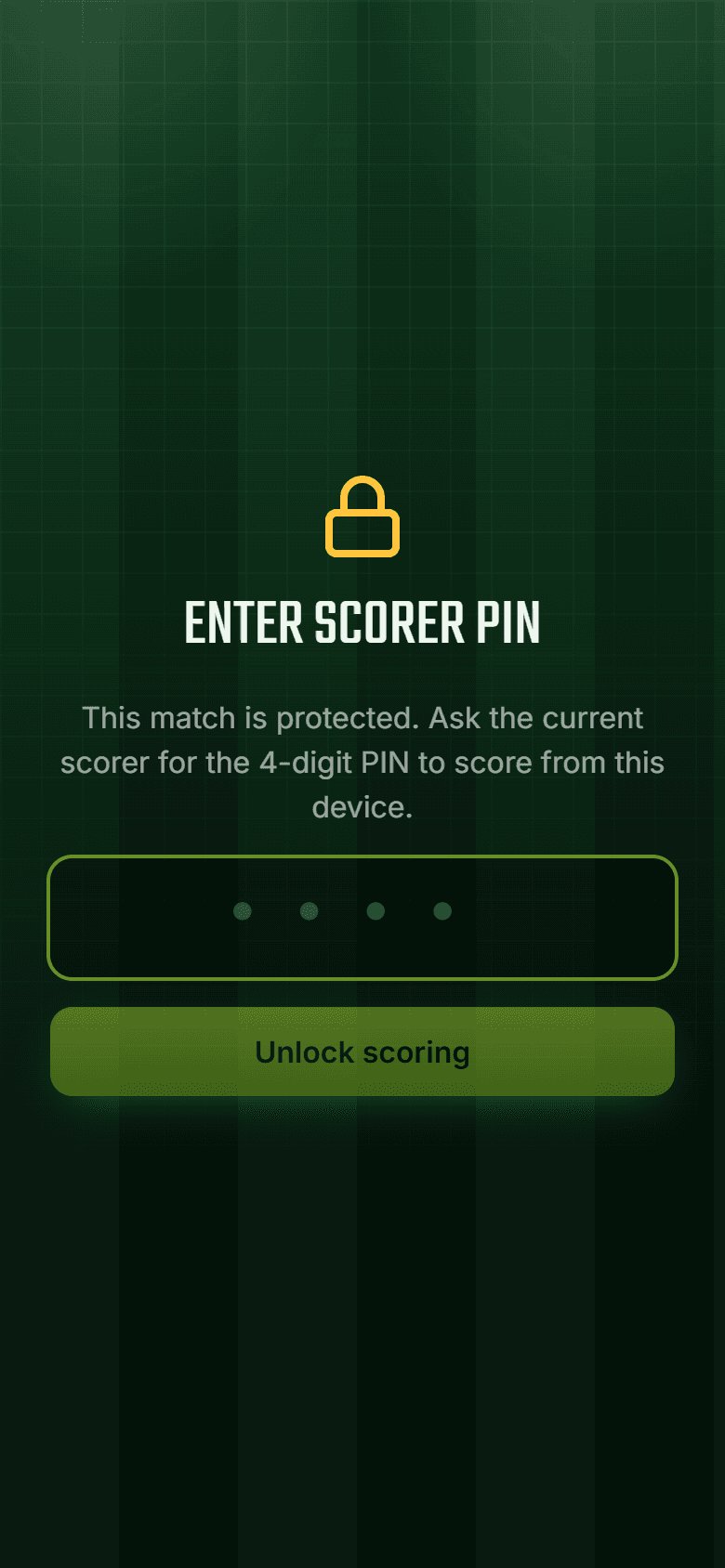
Record who won the toss and whether they bat or bowl. Then set a 4-digit scorer PIN. Only your phone can score, and nobody else can take over without the PIN.
💡 Keep the PIN to yourself. Spectators never need it.
- 05
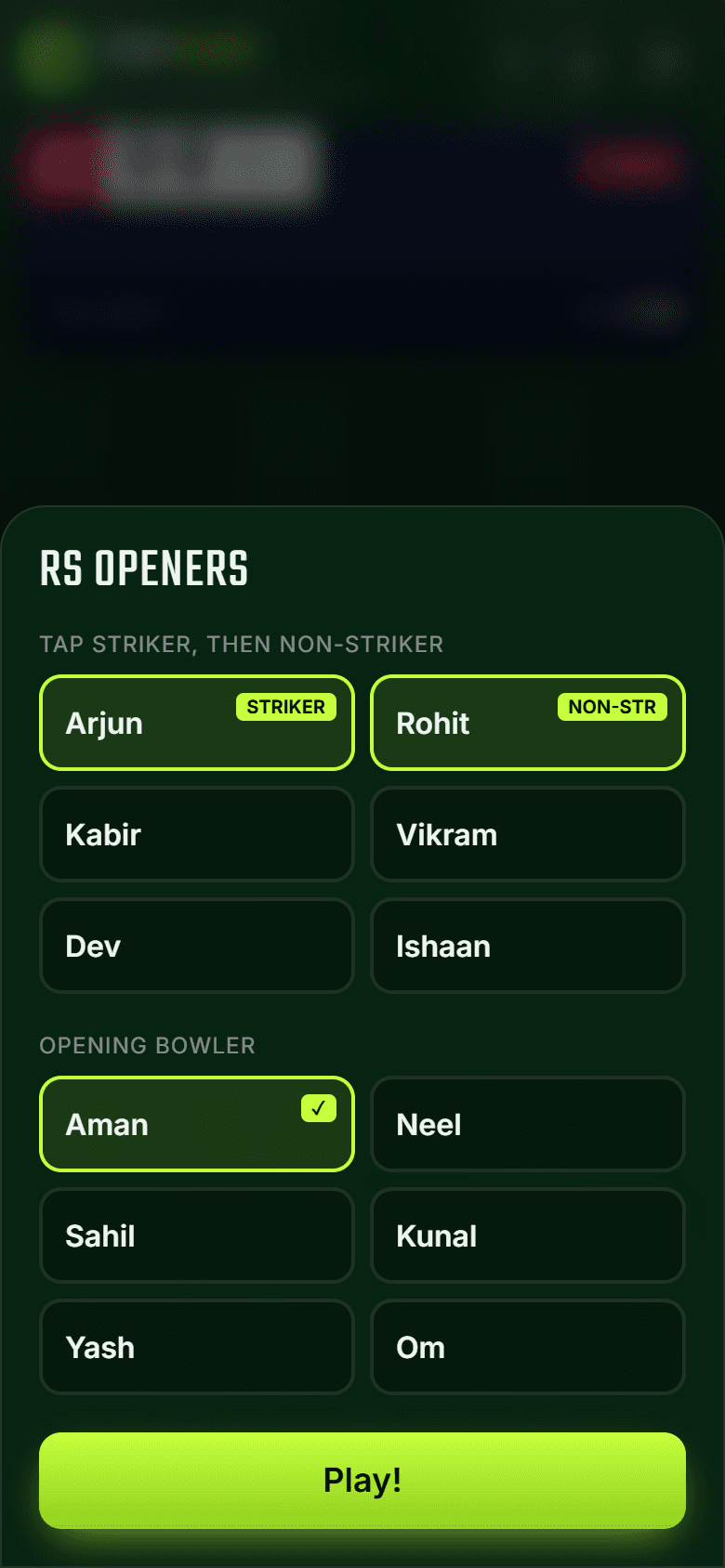
Pick openers and bowler
Tap the striker, then the non-striker, then the opening bowler. At the end of every over TurfScore asks for the next bowler and won't let the same bowler bowl two overs in a row.
- 06
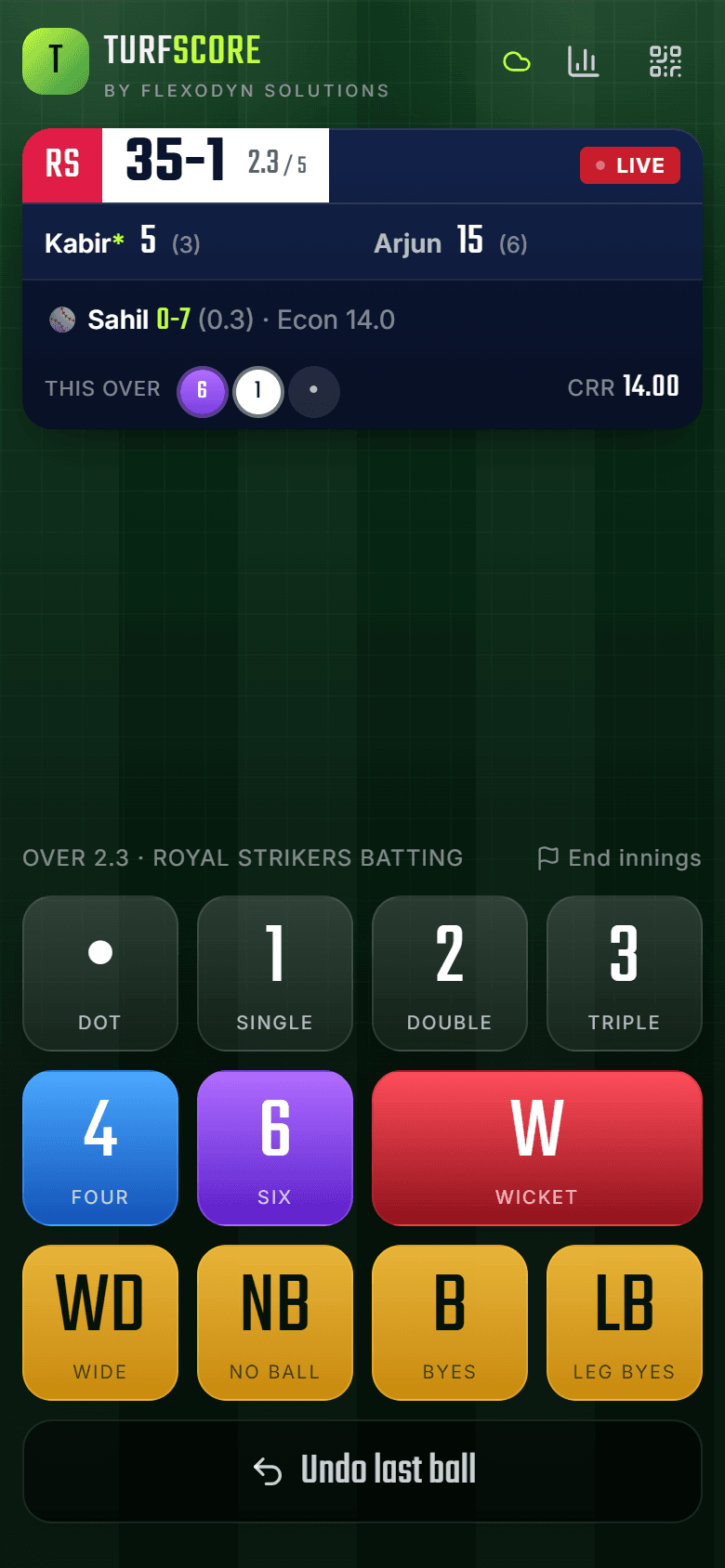
One tap per ball
Tap dot, 1, 2, 3, 4 or 6 for every delivery. Strike rotation, overs, run rate and the target update on their own. Made a mistake? Undo last ball fixes it.
💡 The cloud icon at the top shows your scores are saved.
- 07
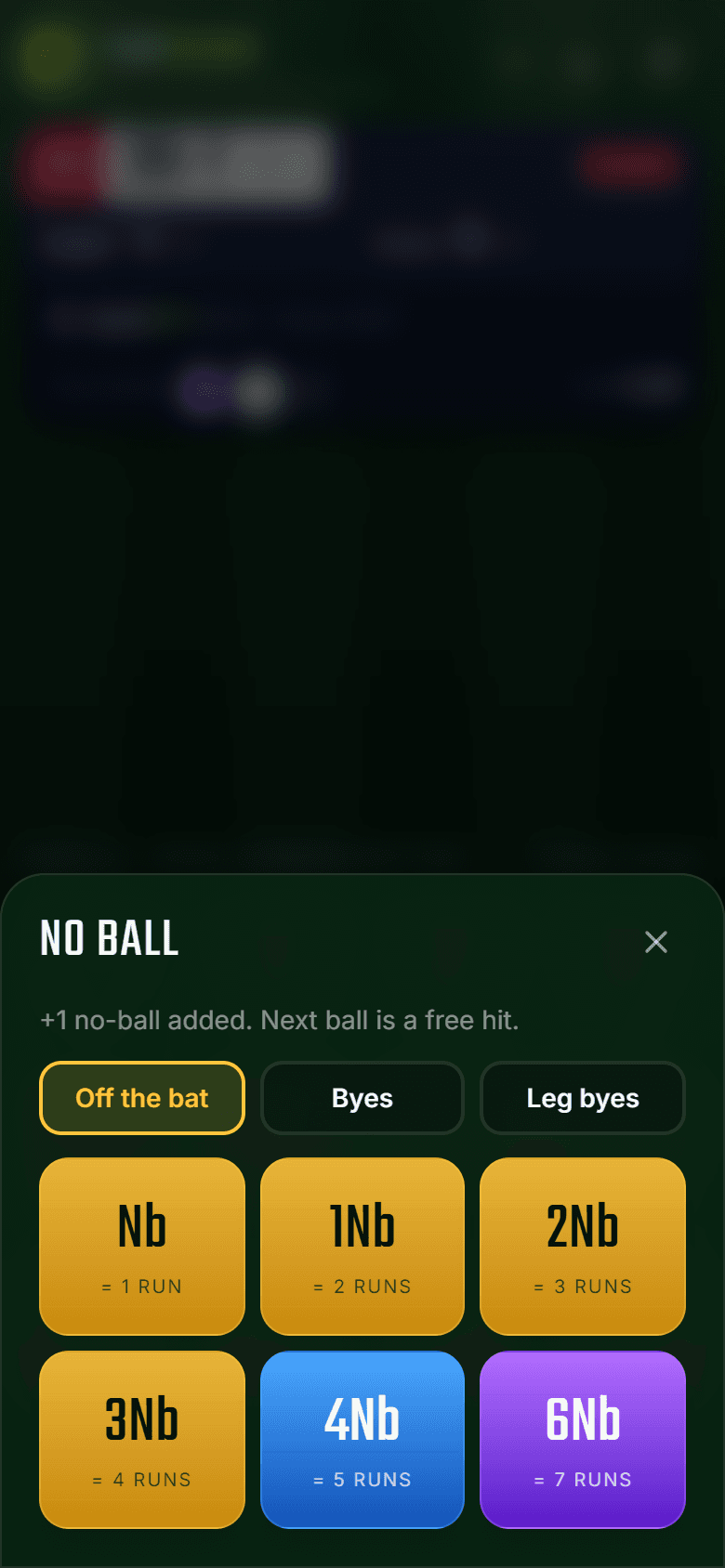
Extras and combined runs
Tap WD, NB, B or LB, then choose the runs. 4Nb is a four off a no-ball, 4Wd is a wide that went for four. You can also mark byes or leg byes off a no-ball. A free hit is shown automatically after a no-ball.
- 08
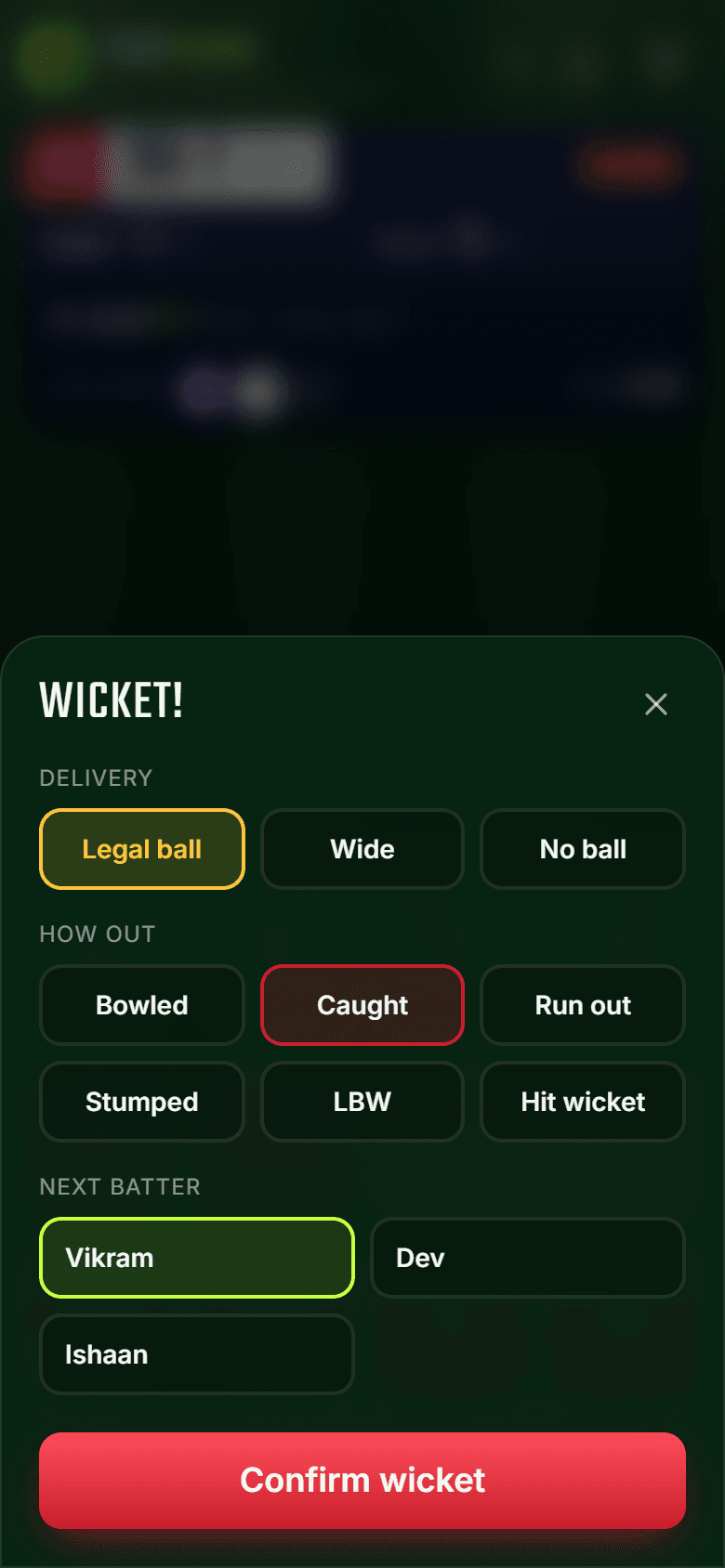
Wickets
Tap W, choose how the batter got out (bowled, caught, run out, stumped and more), who is out, and the next batter. Run outs can include the runs completed, even on a wide or no-ball.
- 09
Share the live score
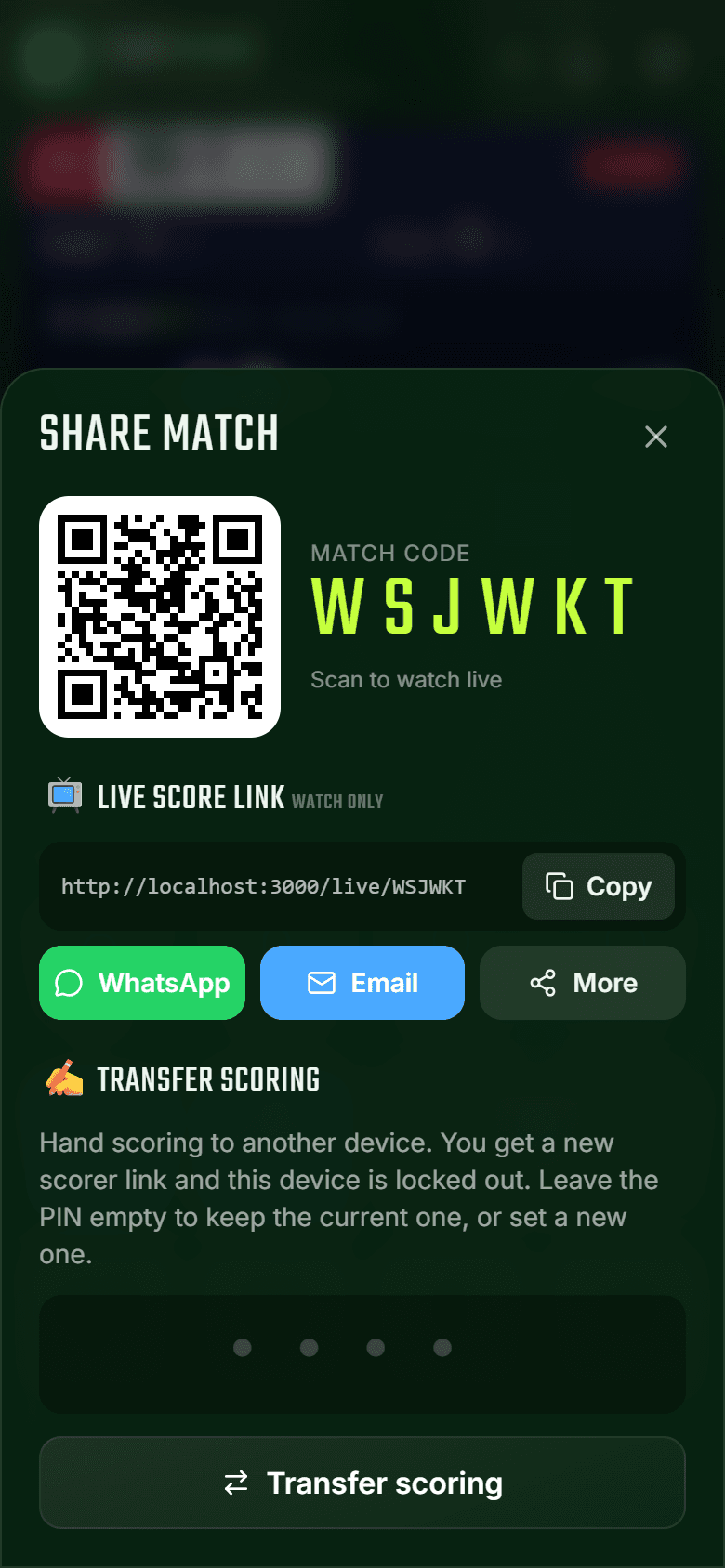
Tap the QR icon to share. Friends scan the QR code, enter the match code or open the link you send on WhatsApp or email. The live link is watch-only.
💡 Need to hand over scoring? Use Transfer scoring. The new scorer gets a fresh link and this phone is locked out.
- 10
Protected scoring
If anyone else opens a scorer link, they see this screen and need the PIN to continue. Teams can't quietly change the score or undo balls.
- 11
Watch it live
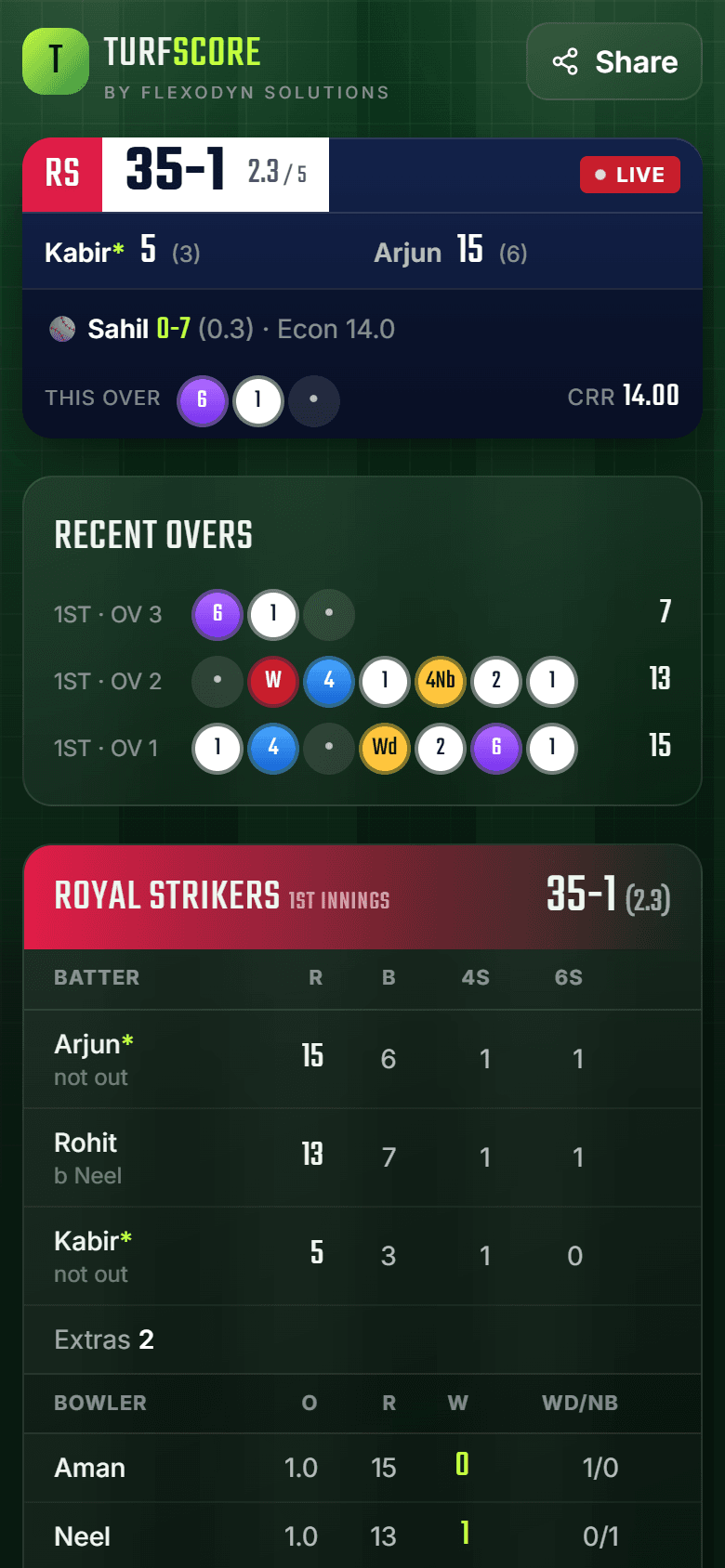
Spectators get a TV-style scoreboard that updates instantly, ball by ball, with recent overs and full batting and bowling cards.
- 12
Scorecard and charts
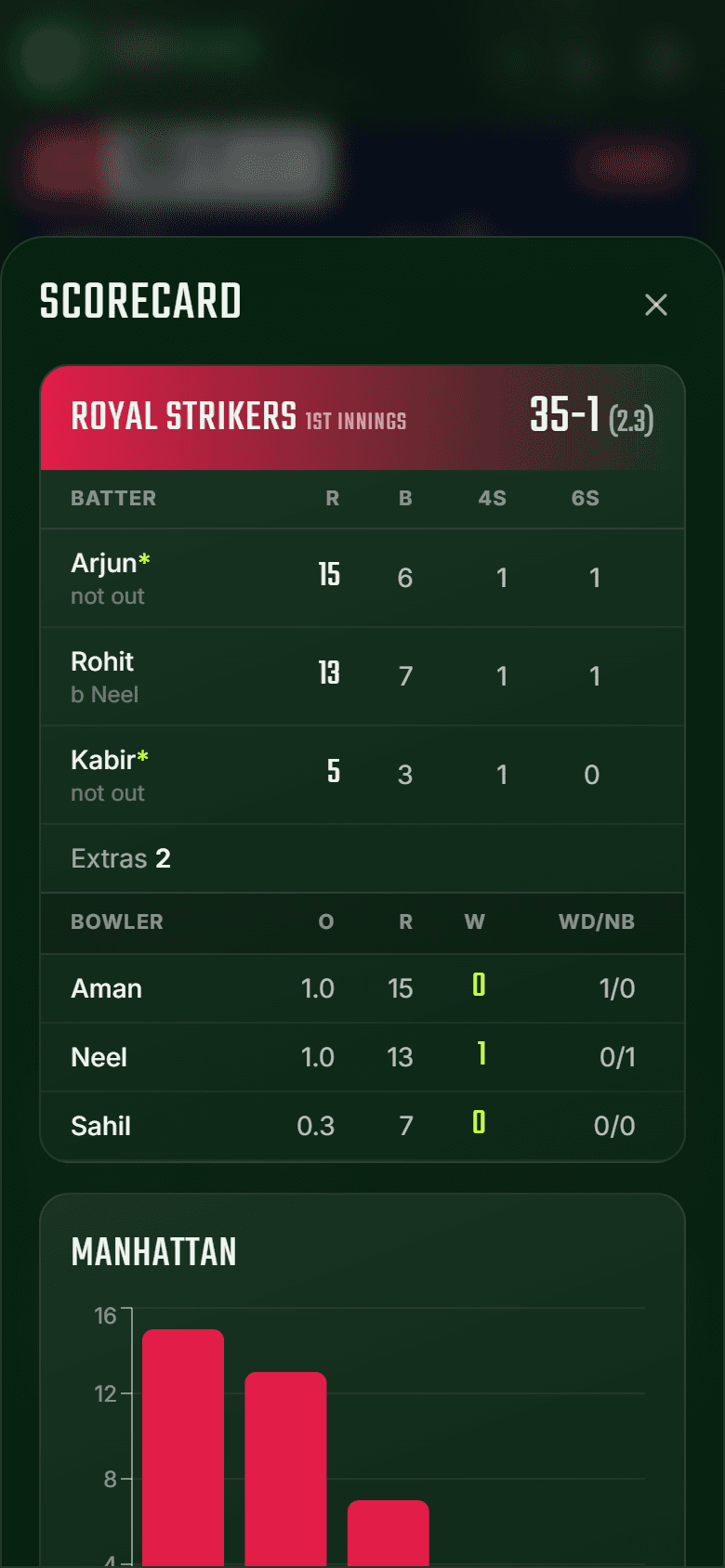
Tap the chart icon any time for the full scorecard, Manhattan and worm charts. When the match ends, the result is worked out and celebrated for you.
💡 Find past matches anytime under History. Your phone remembers the match codes you've used.
Ready for the first ball?
Set up your match in under a minute.